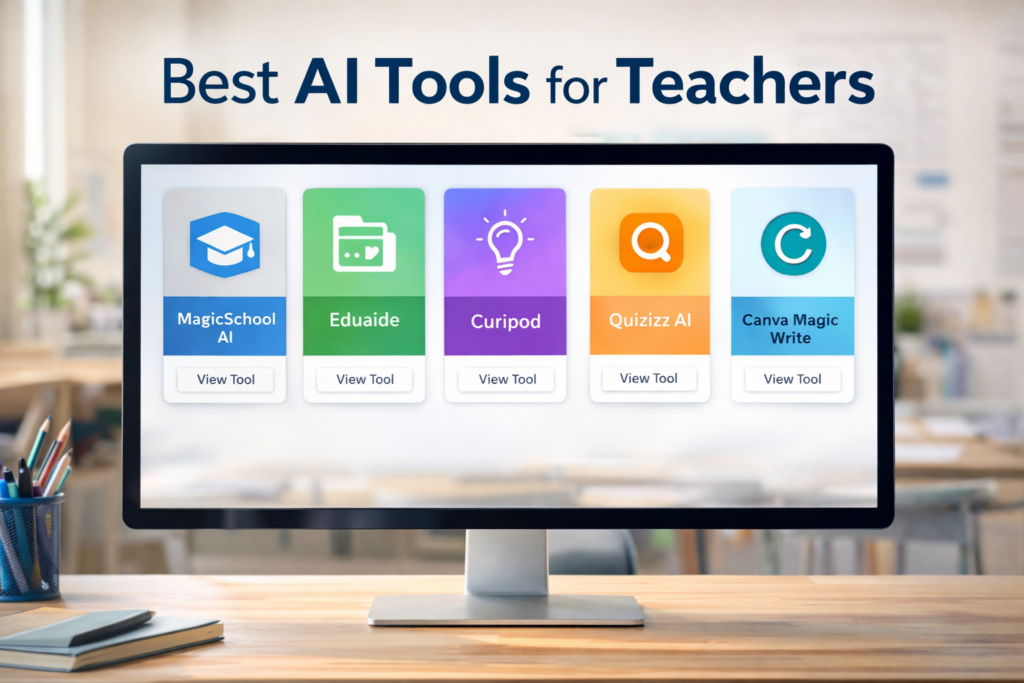
The best AI tool for a teacher depends on the job: MagicSchool for a broad education-specific toolkit, Brisk Teaching for working inside existing browser-based materials, Diffit for adapting readings, Wayground for interactive assessment, Canva Education for visual classroom content, and Claude for Teachers for flexible drafting and analysis.
This 2026 update replaces outdated naming—Quizizz is now Wayground—and adds newer teacher-focused options. It is based on current official documentation and a task-by-task editorial review, not on vendor sponsorship or claims that AI automatically improves learning outcomes.
Our picks at a glance
| Tool | Best for | Main strength | Check before adoption |
|---|---|---|---|
| MagicSchool | Broad teacher workflows | Education-specific generators in one place | Which features and controls your plan includes |
| Brisk Teaching | Working from existing web content | Browser-based creation, feedback and differentiation | Extension approval and data access |
| Diffit | Adapting readings and lessons | Print-ready resources at different levels | Accuracy, vocabulary and appropriate challenge |
| Wayground | Interactive checks and assessment | Creation, delivery and response data in one workflow | Free-plan limits and student settings |
| Canva Education | Visual teaching materials | Templates, media and classroom collaboration | K–12 eligibility and AI feature availability |
| Claude for Teachers | Flexible planning and document analysis | Long-form drafting and iterative discussion | Institutional policy, verification and age requirements |
Plan names, quotas and availability change frequently. Confirm current terms on the linked official pages before committing a department or uploading student work.
How we evaluated the tools
We looked for a clear advantage on a real teaching task, not the longest feature list. Each product was assessed against five questions:
- Task fit: does it improve a specific planning, adaptation, feedback or assessment workflow?
- Teacher control: can the educator edit, verify and decide what reaches students?
- Source use: can output be grounded in trusted course material rather than a vague topic prompt?
- Classroom friction: does it fit existing documents, browsers, LMS tools or delivery routines?
- Privacy clarity: are education-specific controls, policies or institutional options documented?
No product received credit for unsupported promises about grades or hours saved. A feature can reduce drafting time and still create more review work if its output is generic or inaccurate.
1. MagicSchool: best broad teacher toolkit
MagicSchool is the strongest starting point for teachers who want education-specific templates rather than a blank chatbot. Its official site lists tools for lesson plans, rubrics, presentations, multiple-choice quizzes, writing feedback, text rewriting and other recurring work.
Why it stands out: the interface frames requests around school tasks, which can help new users specify grade, subject, objective and format. MagicSchool also documents integrations and school-level privacy and security options.
Where to be cautious: a generator can produce a plausible lesson that is poorly sequenced, misaligned to local standards or insensitive to a particular class. Treat plans, rubrics and IEP-related material as drafts for professional review. Never enter protected student information unless your institution has approved the exact workflow.
Best first test: give it one learning objective, the time available and a short source excerpt. Ask for an exit ticket and a rubric, then compare both with your existing materials.
2. Brisk Teaching: best inside existing materials
Brisk Teaching is designed to work where teachers already work in the browser. Its current site describes creating instructional materials from webpages, documents, videos and PDFs, as well as feedback, writing inspection, reading-level changes, translation and student activities.
Why it stands out: using the source already on screen can reduce copying between products and keep the task tied to a real resource. This makes Brisk especially relevant for teachers who frequently adapt articles, give writing feedback or turn existing material into practice.
Where to be cautious: a browser extension may require institutional approval because it can interact with pages and documents. Automated feedback also needs a human check for tone, evidence and fairness; the teacher remains responsible for what is communicated to a student.
Best first test: open a familiar, non-confidential reading and create two versions of the same comprehension check. Verify that both assess the intended concept rather than surface vocabulary.
3. Diffit: best for adapting reading materials
Diffit focuses on creating print-ready lessons and adapting resources for different learners. That narrower purpose makes it easier to evaluate than a general chatbot: start with a text or topic, produce a resource, then check whether meaning and cognitive demand were preserved.
Why it stands out: it addresses a frequent task—making a text more accessible while producing usable classroom activities. It can be a practical fit for multilingual learners, mixed reading levels and time-limited lesson preparation.
Where to be cautious: lower reading difficulty should not become lower intellectual expectations. Check key vocabulary, exceptions, cultural context and whether the questions still require the reasoning in the original objective.
Best first test: use a passage you know well. Compare the original and adapted versions sentence by sentence, then ask a colleague whether both support the same discussion question.
4. Wayground: best for interactive assessment
Wayground is the current name of Quizizz. The platform now presents AI-assisted assessments, presentations, homework, videos, flashcards and accommodations in one system. It is the most relevant pick here when the goal is not simply to draft questions but to deliver them and inspect responses.
Why it stands out: one activity can move between live instruction, independent practice and review. Its official site also describes reading supports, translation, focus options and multiple activity formats.
Where to be cautious: AI-generated distractors are often obviously wrong, ambiguous or accidentally revealing. Check every option, ensure there is one defensible answer, and avoid interpreting engagement data as proof of understanding without other evidence.
Best first test: import five teacher-written questions and let the tool produce variations. Keep only items that test the same construct and can be explained clearly after class.
5. Canva Education: best for visual classroom content
Canva Education combines presentations, documents, whiteboards, video, templates, collaboration and AI-assisted creation. Canva states that its Education plan is free for verified K–12 teachers and eligible students; higher-education access is a separate offering.
Why it stands out: it is more useful for designing and presenting material than for generating subject expertise. Teachers can create visual explanations, worksheets, posters, interactive presentations and accessible variations within a familiar editor.
Where to be cautious: polished design can hide weak content. Check reading order, contrast, captions, image relevance, licensing and whether decorative elements distract from the learning goal. AI-generated images should not be presented as documentary evidence.
Best first test: redesign one existing slide using the same content. Ask whether the new version makes the relationship clearer, then test it with the accessibility checker and a screen-reader reading order where available.
6. Claude for Teachers: best flexible general assistant
Claude for Teachers is a newer education-specific option linked from Anthropic’s current education materials. A general conversational assistant is useful when the task does not fit a fixed generator: analyzing a long document, critiquing an assignment, exploring misconceptions or refining a sequence through several rounds.
Why it stands out: flexible dialogue can expose assumptions that a one-click template leaves hidden. A teacher can provide criteria, request alternatives, reject a weak choice and ask the model to explain what evidence it used.
Where to be cautious: open-ended tools can invent sources, misread policy and mirror a biased premise. Do not use them as autonomous graders or decision-makers. Confirm eligibility, age requirements, data controls and institutional approval for the specific account type you use.
Best first test: provide an anonymized assignment prompt and rubric. Ask for three likely student misconceptions and one question for diagnosing each; verify the suggestions against your own classroom experience.

Which tool should you choose?
| If your main task is… | Start with… | Keep this human check |
|---|---|---|
| Planning several types of teacher material | MagicSchool | Curriculum alignment and sequencing |
| Transforming a webpage, document or student draft | Brisk Teaching | Source fidelity, feedback tone and extension approval |
| Adapting a reading for learner needs | Diffit | Meaning, vocabulary and cognitive demand |
| Building and delivering an interactive check | Wayground | Question quality and interpretation of results |
| Designing visual or multimedia material | Canva Education | Accessibility, licensing and content accuracy |
| Working through an unusual, open-ended task | Claude for Teachers | Sources, privacy and professional responsibility |
Start with one tool and one recurring task for two weeks. Record preparation time, corrections required, student accessibility issues and whether the final material was genuinely better. A second tool is justified only when it solves a different problem.
A safe adoption checklist
- Check school or district policy before creating accounts or installing extensions.
- Use anonymized sample material during evaluation; do not enter protected student data.
- Review current terms, data retention, training use, age rules and administrator controls.
- Tell students when AI materially shaped a resource or feedback process.
- Verify facts, citations, answer keys, accessibility and cultural assumptions.
- Provide a non-AI route when access, disability or family policy requires it.
- Never delegate grades, discipline, safeguarding or special-education decisions to a model.
For a workflow-first overview, see our AI tools for teachers hub. It focuses on selecting tasks, writing prompts and reviewing classroom output rather than ranking products.
Frequently asked questions
What is the best free AI tool for teachers?
There is no single winner for every task. Canva Education states that it is free for verified K–12 educators, while several other products offer free entry points with changing limits. Choose by workflow and verify current plan details before relying on a feature.
Can teachers upload student work to AI tools?
Only when the institution has approved the product and workflow, the legal basis and consent requirements are satisfied, and the data controls fit local policy. Anonymization is helpful but does not replace institutional approval.
Should AI grade student work?
AI may help organize teacher-reviewed feedback, but it should not make autonomous high-stakes decisions. Rubrics, subject judgment, accommodations, appeals and context require accountable human oversight.
How often should this comparison be reviewed?
At least quarterly for product names, plan limits and data policies, and immediately when a tool changes ownership, terms or school controls. Classroom suitability should also be rechecked when the teaching task changes.
Editorial note: EduAI Tools does not accept payment for ranking tools. Product capabilities, names and education claims were checked against official product pages on September 4, 2026. Vendor claims are identified as such and may change.