AI flashcards can help with exam preparation when they reduce card-writing time without removing the student’s review. Start from the assessed objectives, generate a small deck, correct every card against the source, and use the cards to retrieve answers over several sessions. A large unedited deck is usually less useful than a smaller set of accurate questions.
Last reviewed September 4, 2026. This guide explains the exam workflow rather than ranking products. For current platform recommendations, see our AI flashcard generator comparison.

Do flashcards actually help with exams?
Flashcards are a format, not a learning method by themselves. Their value comes from retrieval: seeing a question, attempting an answer without looking and then checking the result. In a controlled study, Roediger and Karpicke found that testing improved delayed retention compared with additional study. A broad review by Dunlosky and colleagues also rated practice testing and distributed practice among the highest-utility techniques it examined.
Those findings do not mean every generated card is effective. AI can omit an exception, write an ambiguous question or create a clue that reveals the answer. The student still has to select, verify and practise the material.
| Flashcards work well for | Use another format for |
|---|---|
| Definitions, vocabulary and symbols | A full essay argument |
| Processes with ordered steps | A complex diagram that must be labelled |
| Comparisons students often confuse | A multi-stage calculation requiring working |
| Rules, cases, dates and formulas | Open-ended evaluation with several defensible answers |
| Diagnosing weak recall before an exam | Learning a topic for the first time |
Step 1: start from the exam objectives
Use the syllabus, learning outcomes, instructor review sheet and past feedback to define the scope. Do not ask an AI tool to decide what will be on the exam. It may emphasize information that appears frequently in a document rather than the concept your instructor expects you to apply.
- List each objective as an action: define, compare, calculate, explain or evaluate.
- Attach the relevant pages, slides or notes to each objective.
- Mark material that is explicitly outside the exam.
- Keep answer keys, worked solutions and required terminology nearby.
If your material is mostly prose notes, follow our guide to creating AI flashcards from notes. For slide decks and readings stored as files, use the separate workflow for flashcards from PDFs.
Step 2: generate a small first deck
Create 10 to 20 cards from one objective before processing the rest of the course. This pilot deck shows whether the tool understands the source, writes at the right difficulty and preserves formulas or specialist terms. It also prevents hundreds of weak cards from becoming an editing burden.
Using only the supplied notes for objective 2, draft 15 flashcards. Put one testable idea on each card. Mix definitions, comparisons and short application questions. Cite the source page in the answer. If the source does not support an answer, mark the card “check source” instead of guessing.
For subjects with calculations, ask for a separate “worked problem” set and verify every step. A formula card can test when to use an equation and what each symbol means; it should not replace solving complete problems.

Five useful flashcard types
| Card type | Front | Back |
|---|---|---|
| Definition | What is opportunity cost? | The value of the best alternative forgone, plus a course example |
| Comparison | How do mitosis and meiosis differ in outcome? | A short comparison of divisions, cells and genetic variation |
| Process | What happens after depolarization in an action potential? | The next stage, the relevant ion movement and a source reference |
| Application | Which statistical test fits this scenario, and why? | The test and the conditions that justify it |
| Error-based | Why was my answer to problem 6 wrong? | The specific misconception and a corrected method |
Application and error-based cards are especially useful late in revision because they reveal whether you can choose and use knowledge, not merely recognize a term.
Step 3: audit every generated card
Read the front first and try to predict the expected answer. If two different answers could reasonably be correct, rewrite the question. Then compare the back with the assigned source. Do not verify the deck by asking the same model that generated it.
- One idea: the card should test one decision or relationship.
- Clear wording: avoid “What is it?” or questions that depend on missing context.
- Accurate answer: confirm definitions, dates, units, formulas and exceptions.
- No answer clues: remove wording that repeats the key term from the back.
- Source reference: keep a page, slide or note link for disputed details.
- Appropriate difficulty: include application questions, not only simple recall.
Delete low-value cards. Editing is not a failure of the workflow; it is the step that turns generated text into a study resource you can trust.
Step 4: study with retrieval and spacing
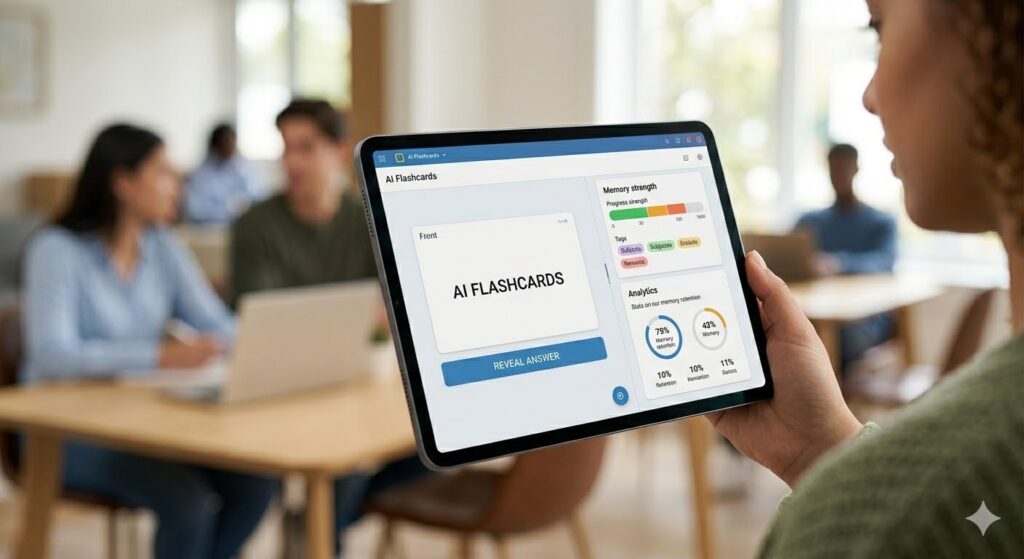
Answer aloud or in writing before revealing the back. Grade yourself on whether the answer contains the required idea, not whether it sounds similar. When a response is wrong, look at the source, explain the correction and attempt the card again later.
Space sessions across the available time instead of completing the deck repeatedly in one sitting. Scheduling algorithms can help, but their labels are only inputs: if a card was guessed correctly or the wording made it easy, mark it for earlier review.
A practical seven-day exam workflow
| Time | Task | Output |
|---|---|---|
| Day 1 | Create and audit a pilot deck from one objective | 10–20 reliable cards and a quality standard |
| Days 2–3 | Build remaining cards in small batches | Decks organized by objective, not file |
| Days 3–5 | Run short mixed retrieval sessions | An error list showing weak concepts |
| Day 6 | Practise application questions and worked problems | Corrections for misconceptions and method errors |
| Day 7 | Review the error list and a small sample of mastered cards | A focused final check, not a complete reread |
This is an example, not a universal prescription. If the exam is farther away, increase the intervals. If it is tomorrow, prioritize high-value objectives and corrections instead of trying to generate a complete deck.
Which tools fit this workflow?
Use a source-grounded tool such as NotebookLM when citations to course files matter. Quizlet and Knowt are convenient for generating and practising cards, while RemNote and Anki are better suited to long-term spaced review. General assistants can draft cards in a custom format, but you may need to move them into a dedicated study system.
Our flashcard generator comparison covers current strengths and limits. Choose based on source support, editing controls, export options, privacy and the type of practice—not the number of cards a tool promises to create.
Common mistakes before an exam
- Generating the entire textbook: the deck becomes impossible to prioritize.
- Keeping copied sentences: recognition of the wording can masquerade as recall.
- Ignoring diagrams and calculations: some exam skills need other practice formats.
- Never mixing topics: grouped cards can reveal the answer category before the question does.
- Using cards only once: generation saves no study time if retrieval is never repeated.
- Trusting the answer key: a fluent wrong answer can be memorized just as easily as a correct one.

Frequently asked questions
How many flashcards should I make for an exam?
There is no universal number. Start with the assessed objectives and keep only cards that test a useful idea. A small accurate deck you can review several times is more useful than hundreds of unedited cards.
Can AI flashcards handle formulas?
They can store formulas and ask when to use them, but notation and units may be corrupted during extraction. Verify the card and practise full problems separately.
Are AI flashcards cheating?
Using your own material to create private practice cards may be allowed, but course rules differ. Do not upload restricted material or use AI to complete assessed work. Check the policy and disclose use when required.
Should I study cards in the order they were created?
Not all the time. Mixed order makes you identify the relevant concept rather than predicting it from the surrounding cards. Keep some grouped practice when learning a new process, then mix topics later.
Sources and update notes
- Roediger and Karpicke (2006), Test-Enhanced Learning: Taking Memory Tests Improves Long-Term Retention.
- Dunlosky et al. (2013), Improving Students’ Learning With Effective Learning Techniques.
- EduAI Tools: current AI flashcard generator comparison.
Editorial note: Rewritten September 4, 2026 to remove unsupported percentage claims, separate tool selection from the exam workflow and add source checking, card-quality criteria and learning-research references. We have no commercial relationship with the tools mentioned.